Tempo Dial
テンポが変えやすいメトロノーム / Metronome
お問い合わせ
不具合のご報告、ご要望、ご質問は、こちらのメールアドレスまでお送りください。
不具合のご報告の際は、お使いの端末(例:iPhone 15 Pro)、iOS のバージョン、どの操作で起きたかを書いていただけると、早く対応できます。
よくある質問
テンポはどうやって変えますか?
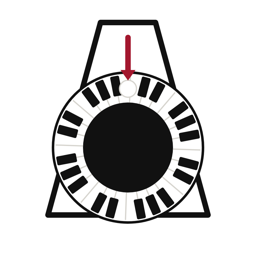
外側の鍵盤の輪を指でなぞるように回すと、1目盛りごとに 1 BPM 変わります。±ボタンでは、下の「ボタンの刻み」で選んだ数(1・2・4・5・10、または任意の数)ずつ変えられます。長押しすると連続で変わります。
他のアプリを開くと止まりますか?
止まりません。楽譜アプリを開いたり、画面を消したりしても鳴り続けます。止めるときはアプリに戻って中央の黒い円をタップしてください。
マナーモードでも音は出ますか?
はい。マナーモード(消音)中でも鳴ります。音量は端末の音量ボタンで調整してください。
広告を消したい
画面左上の「広告を削除」から購入できます(買い切り・一度の購入でずっと有効)。
機種変更したら広告が出るようになった
「広告を削除」の画面にある「購入を復元」をタップしてください。同じ Apple ID であれば、追加の支払いなしで広告が消えます。
Contact
For bug reports, feature requests or questions, please email us.
When reporting a bug, please include your device (e.g. iPhone 15 Pro), iOS version and what you were doing.
FAQ
How do I change the tempo?
Slide your finger around the outer piano-key ring: each notch is 1 BPM. The +/- buttons change the tempo by the step you choose (1, 2, 4, 5, 10 or any number). Hold a button to repeat.
Does it stop when I open another app?
No. It keeps playing while you use a sheet-music app or when the screen is off. To stop, return to the app and tap the black circle in the center.
Does it play in silent mode?
Yes. Use the volume buttons on your device to adjust the volume.
How do I remove ads?
Tap "Remove ads" at the top left (one-time purchase).
Ads came back on my new device
Open "Remove ads" and tap "Restore purchase". With the same Apple ID, ads are removed at no extra cost.